

Free on-site gate assessment - hinges, posts, and your LiftMaster or Nice gate operator checked before anything is quoted
The assessment is free and the quote is the invoice.


 Before
 After
After Before
 After
After Before
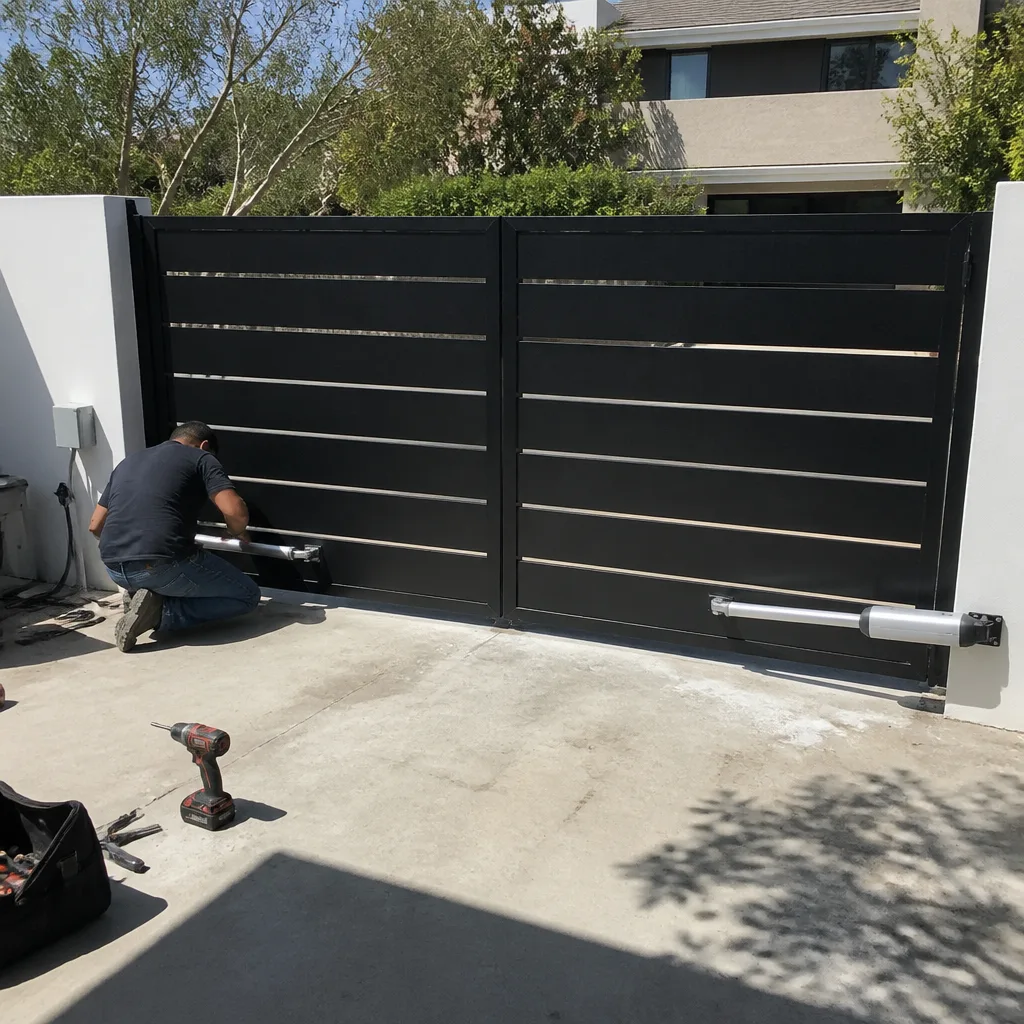 After
AfterGate Reverses Immediately
When a gate starts to move and then immediately reverses direction without completing its travel, the cause is almost always a miscalibrated or obstructed safety system – the gate’s operator detected something (real or phantom) and stopped the gate from closing or opening as a protective measure. This is not random, and it is almost never a sign that the motor itself has failed.
The safety systems built into modern gate operators – obstruction sensors, limit switches, and pressure/torque settings – are designed to reverse the gate the moment something seems wrong. That’s a feature, not a bug. The problem is that when a sensor drifts out of alignment, a limit switch corrodes, or an entrapment-detection threshold gets set too sensitively, the gate treats normal operation as a hazard and refuses to complete its cycle. Your gate isn’t broken in a catastrophic sense. It’s confused about whether it’s safe to move. A trained technician can read exactly what the operator is reacting to and correct it.
Why It Happens
Misaligned or Dirty Photoelectric Sensors
Most electric gates have a pair of photoelectric beam sensors mounted low on the gate posts or along the drive path. If those sensors drift out of alignment – even a quarter inch – or if leaves, spider webs, or dust coat the lenses, the operator sees a permanent obstruction and reverses the moment the gate moves. You can spot this one yourself: look for small plastic sensor housings mounted opposite each other on the gate frame or columns. If one is tilted, kicked, or visibly dirty, that’s almost certainly your problem. Some operators also have a small indicator light that blinks or changes color when the beam is broken.
Limit Switch Failure or Corrosion
Limit switches tell the operator where the gate is supposed to stop – fully open and fully closed. When a limit switch corrodes, sticks, or drifts out of its set position, the operator may think the gate has already reached its endpoint before it actually has, triggering an immediate reverse. This is especially common on older operators and on systems that have been through several wet seasons without service. If your gate reverses at exactly the same point in its travel every single time, a limit switch is the first thing a technician will check.
Over-Sensitive Torque or Pressure Settings
Gate operators include an adjustable force setting that limits how hard the motor pushes before it interprets resistance as an obstruction. If that setting has been turned down too low – or if the gate itself has developed friction at a hinge, wheel, or track point – the operator detects the extra load and reverses to avoid injuring someone. You might notice the gate hesitates or shudders slightly before reversing, rather than reversing instantly from a dead stop. Hinge wear, a bent track, or debris in the roller channel can all create just enough drag to trigger this response.
Control Board or Wiring Fault
Less commonly, the operator’s control board receives a garbled signal – from a corroded wire connection, a failing capacitor, or moisture intrusion into the control housing – and interprets it as a reverse command. This cause tends to produce less predictable behavior: the gate might reverse at different points in its travel, or behave differently on the first attempt versus a second one. If you’ve ruled out sensors and the gate’s path is clear and smooth, a wiring or board fault is worth investigating. Do not open the operator housing or attempt to trace wiring yourself – the capacitors inside store a charge that can injure you even with the power disconnected. Stop here and call a technician.
What to Do Right Now
- Clear the sensor path first. Walk the full path the gate travels and remove anything that could break the sensor beam – a trash bin, a garden hose, overgrown shrubs, accumulated leaves near the base of the posts. Then try the gate once more to see if behavior changes.
- Visually check the sensor housings. Look at both sensor units (usually small rectangular or cylindrical housings on opposing posts). If either one is visibly tilted, cracked, or coated with grime, take a photo. That photo is useful information for your technician. Wipe the lenses gently with a dry cloth if they’re just dusty.
- Look at the gate’s travel path for drag points. With the gate unplugged or the operator disengaged, try moving the gate by hand. If it binds, grinds, or requires real effort at any point, note exactly where. That friction point may be triggering the force-reversal setting. Photograph it.
- Stop running repeated cycles. It’s tempting to keep hitting the remote hoping the gate will cooperate. Each forced cycle can wear the motor, stress the arm or chain, and in some configurations run the operator into a thermal overload that shuts it down entirely. One or two diagnostic attempts is fine. Repeated cycling is not.
- Do not attempt to adjust wiring, the control board, or any component under spring tension. Gate springs and cables store serious mechanical energy. The operator’s internal components carry electrical charge. If the easy external checks above don’t identify the problem, the next step is a call – not a deeper investigation on your own.
How We Fix It
When your local Portcullis Gate Repair technician arrives, the first thing they do is run the gate through a diagnostic cycle while watching the operator’s feedback signals – most modern systems on brands like LiftMaster, FAAC, Viking, and DoorKing display fault codes or LED patterns that point directly to the cause. That step alone usually narrows the field to one or two candidates before a single component is touched.
From there, the technician inspects the sensor alignment and cleans or repositions the units as needed, checks limit switch condition and calibration, tests gate travel resistance by hand, and reads any wiring connections at the control board for corrosion or looseness. Most immediate-reverse problems are resolved in a single visit under our Gate Repair service, and the work typically takes under two hours once the cause is confirmed.
Before any of that work begins, you’ll have the price in writing – the actual number for this specific job, agreed to before anything is disassembled. That’s not a policy we bend. It’s the first promise in the Kingswell Way. And if the repair fails inside the 365-day guarantee period, your local team comes back and fixes it at no charge under the 365-Day Done Right Promise. No invoice for the return visit. No argument about it.
Frequently Asked Questions
A gate stuck in a reversal loop is not immediately dangerous in most cases, but it is a security and access problem that gets worse if you ignore it. If the gate is stuck in the open position, your property is unsecured. If it’s stuck closed and you’re using a manual release to get through, that temporary workaround can fail, and manually operating a gate repeatedly puts stress on components not designed for that kind of use. Call (940) 412-7340 – a live person answers around the clock, including weekends and holidays, and your local team can schedule a visit before this becomes a more expensive problem.
That depends on whether your gate is stuck open or stuck closed. An open gate is a security issue today – not eventually. A stuck-closed gate gives you a little more flexibility, but only if you have a reliable way in and out in the meantime. Either way, the underlying cause (sensor drift, limit switch wear, friction on the track) tends to get worse rather than better on its own. Calling sooner means a simpler fix and a lower chance of secondary damage to the operator. Reach us at (940) 412-7340 any time, day or night.
Your local Portcullis Gate Repair team handles repair calls as promptly as schedules allow, and the phones are staffed by a live person 24 hours a day, 7 days a week – so you’re never leaving a message and hoping someone calls back tomorrow. Call (940) 412-7340 right now and tell us what the gate is doing. We’ll give you an honest arrival window – a real one, not a four-hour shrug – and we’ll have the price agreed in writing before any work starts.
A weak remote battery or a transmitter fault can send a partial or repeated signal that mimics a reverse command, so it’s worth eliminating that first: try the gate using the wall keypad or a physical loop detector (if your system has one) rather than the remote. If the gate behaves the same way through every input method, the remote isn’t the cause and the problem is in the gate operator or its sensors. If the gate only reverses when you use the remote, start with a fresh battery and, if that doesn’t solve it, a technician can test the receiver board while on-site.
Get It Fixed
Call (940) 412-7340 right now – a live person answers every call, every day of the year. Your local Portcullis Gate Repair team will give you a real arrival window, a written price before anything starts, and the 365-Day Done Right Promise in writing on every repair. Gates that open and close the way they should – that’s the whole point.
Written by Dean Prescott, Owner & Lead Technician, Portcullis Gate Repair – a Kingswell company operating since 2008.
What Our Customers Say
"Good repair on a sagging gate and a new hinge welded on. Took them a couple days to get the part in, but they told me that up front and it's been solid since."
- Hector Villanueva"The opener gave out and we were manually pushing the gate for a week. Portcullis got us in quick, swapped the opener, and set up the remotes for both our cars. Great to have it working again."
- Priscilla Nava"Our driveway gate stopped halfway and wouldn't close, which is a problem when it's the only thing between the street and the yard. They came out same day, replaced the motor, and it's smooth again."
- Leonard Pace